




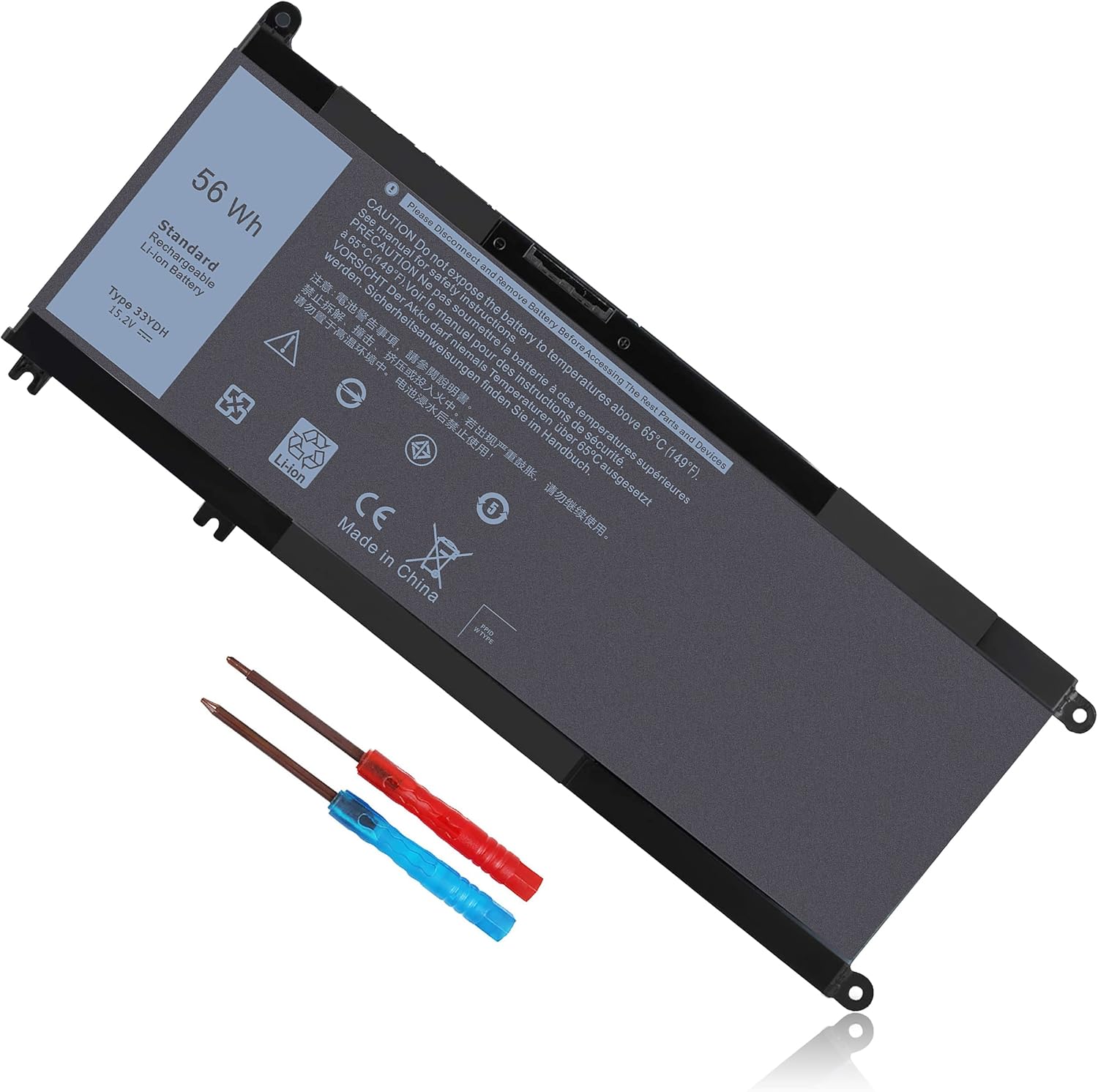


56WH 33YDH Laptop Battery for Dell Inspiron 17 7000 7778 7779 7786 7773 17-7779 2-in-1 15 7577 G3 3579 3779 G5 5587 G7 7588 Latitude 13 3380 14 3490 15 3590 3580 99NF2 81PF3 PVHT1 P30E
内部产品







Direct from Manufacturer. Cutting out the middlemen, we directly provide goods for factories and consumers. High performance. Affordable!
Nbatispy
professional Grdae laptop battery and charger
Previous page
Nbatispy positioning is high quality, simplicityand durability.Our own R&D team andmanufacturing plant,is a full service supplierwith complete development, production, salesand service.Our product performance is stable.safe and reliable
Here you can find your own chargingcompanion for your laptop. Nbatispy wishesyou a happy shopping experience and thank youfor your trust!
Laptop Battery
Resist computer anxiety
Safe Durable battery and Universal USB-C
Charger,Convenient life,improve the quality
of work.
Why the laptop does not recognize the new battery?
1.Could be caused by battery loose.Please re-install the battery and make sure that the battery cable and the motherboard interface are tightly inserted.
2.Maybe due to conductive material damaged which the laptop motherboard and battery anode and cathode contact posltion,you can try to confirm it with your original battery.
3.Check whether the battery drive is in normal condition,if not,download the corresponding driver software to update.
How to maintain your lovely laptop battery?
1. When using your new battery for the first time, you need to prime the battery by charging it to 100% and discharging it to 20% for 3 times.
2. DO NOT let the battery drain to 0%: If you constantly let it drain to 0%, the battery becomes unstable will be seriously degraded.
3. DO NOT keep your battery always fully charged: Just like emptying your battery to 0%, keeping your battery permanently charged at 100% is very harmful.
4. Please store the unused battery fully charged. Do not store at low power to prevent reduce the lifespan of a battery.
How to maximize battery life?
1. Change your laptop power plan settings, choose the power saver plan. Then Change advanced power settings, scroll down to find Processor power management. Click the On-battery option and reduce the processor state to 20%.
2. Always keep your laptop neat and clean. The dust easily enters the hardware through the vents which are meant to release the heat generated from various computer components.
3. Close Wi-Fi, Bluetooth, and other settings. This can help your computer save precious battery life.
Next page
-

啦啦啦
12-08-2026Amazing product! Fast shipping and exceptional overall quality. Exceeded expectations.
-

Mr. Royce Dickens DDS
09-10-2026Very satisfied with this purchase. Customer service was also very helpful. Will definitely buy again.
-
Carol Strosin
28-08-2026A very pleasant shopping experience. Matches description completely. Packaging was great as well.
-
Sherwood Ortiz
08-08-2026Satisfied with the purchase, matches what I expected for this price. Will definitely buy again.
-
Miss Creola Murray II
03-10-2026Decent product overall, solid packaging and smooth transaction. Packaging was great as well.
-
qweqweqwe
12-09-2026Decent product overall, solid packaging and smooth transaction. Exceeded expectations.
-
Neil Wisozk
02-09-2026Amazing product! Fast shipping and exceptional overall quality. Fast delivery too!
-
Jarrell Witting
16-09-2026Outstanding item! Will definitely purchase from this store again. Packaging was great as well.
相关产品